Problem
The Lack of Prompting Guidance
Imagine this:
The marketing manager types a vague prompt. Gets generic output.
Tries again with more detail. Still not quite right.
She wastes 20 minutes on something that should take 2.
Maybe she even closes the tab. Back to doing it herself, without AI.
This happens millions of times a day.
AI adoption is growing, but usage quality isn't keeping pace. This new wave of technology often promises simple communication - type or speak naturally, and get useful output.
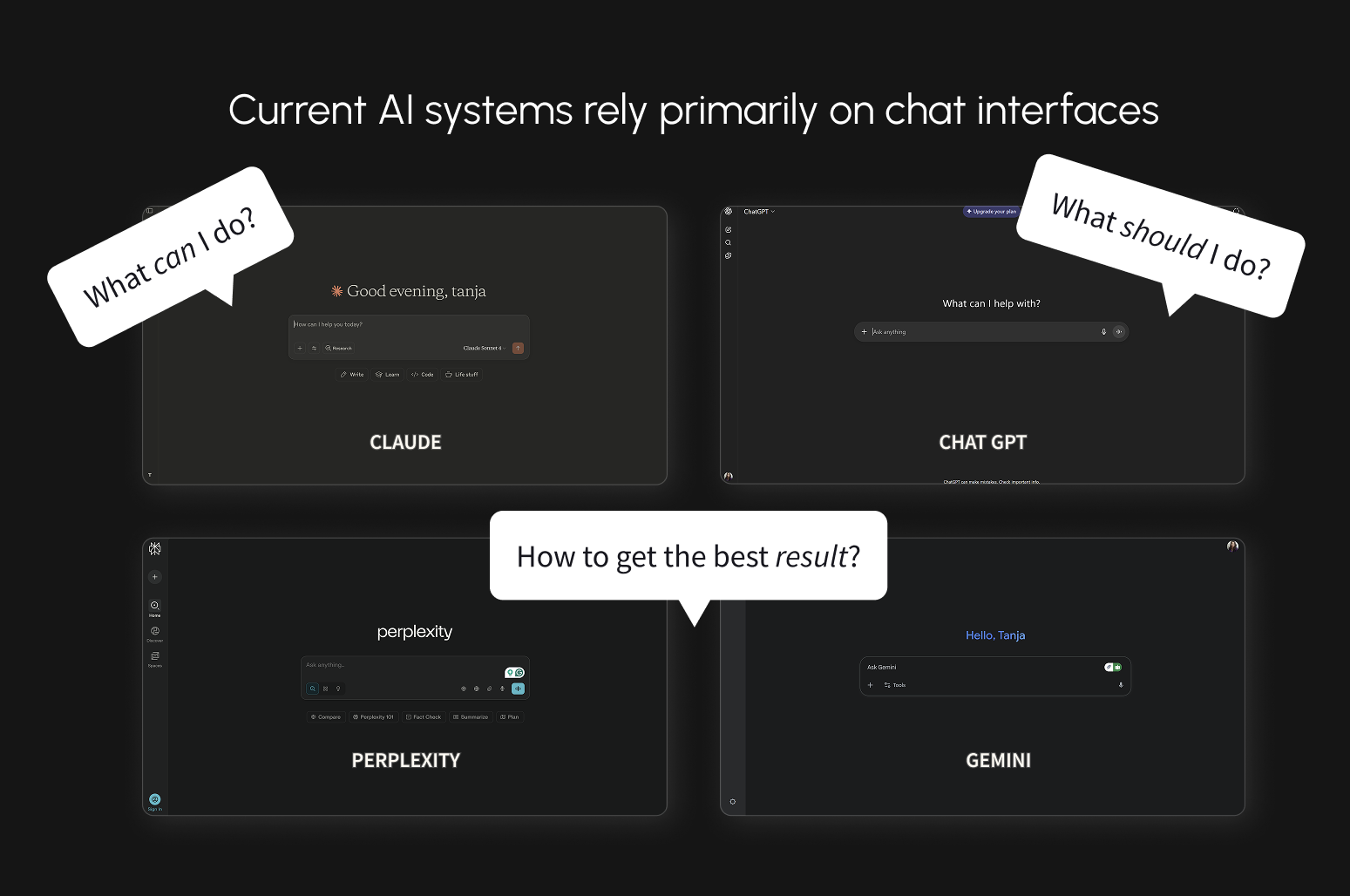
But in practice, many users discover that good results tend to require detailed, specific prompts.
Non-technical users often receive limited guidance on what AI can actually do, where its boundaries are, or how to structure requests that work.
One response has been prompt engineering. Some users now maintain libraries of instructions in separate documents, copying them into every interaction.
What was introduced as simple has become more complex for many.
To understand how widespread this problem is, I researched users' AI usage patterns.
Most Noted
"Prompts need to be very specific and detailed to get good answers"
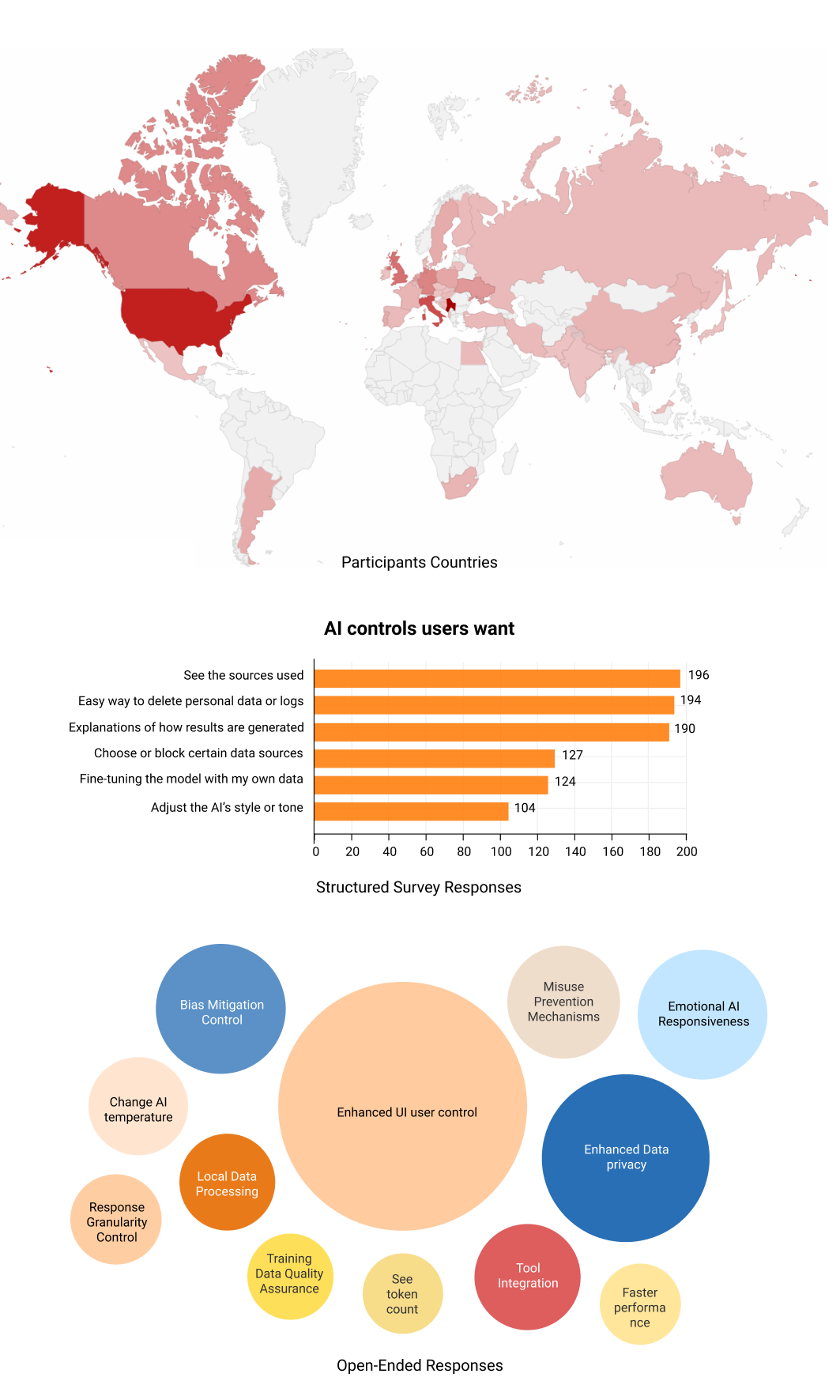
80% users
Said they want more control over AI functionality.
42% users
Tried image AI once and never returned
Business impact:
High prompting burden affects AI adoption, increases support needs, and widens the gap between AI's technical capability and extracted value.
THE DESIGNS
How the layered control system works in practice
The data oscillated from brand to brand, so the approach needed to be adapted, while the red connecting line also needed to be found, which was a big challenge.
Layer #1
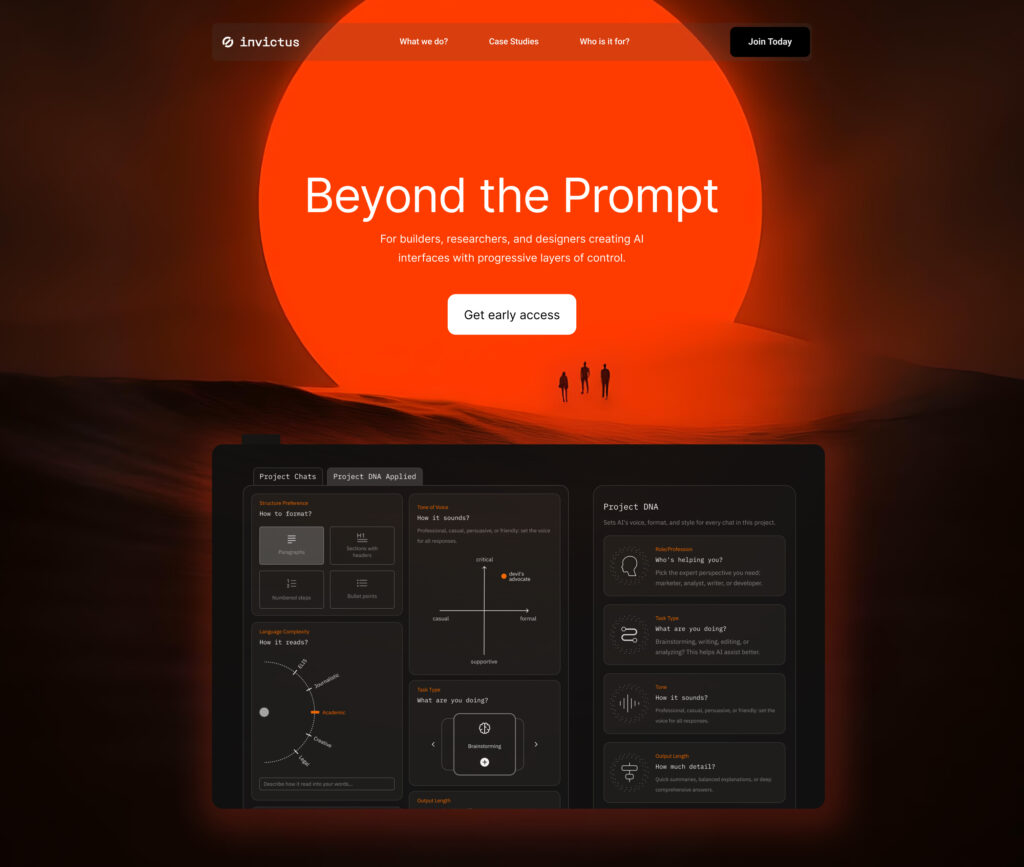
Project DNA - Your AI Remembers
Problem: "I'm retyping 'be casual' in every prompt."
Solution: Drag-and-drop cards for role, tone, length, structure
Design decision: Why cards instead of forms? Cards feel optional and playful. Only activate what you need. Forms feel mandatory and tedious.
Research tie-in: 80% want control, but not if it feels like work. Cards reduce friction.
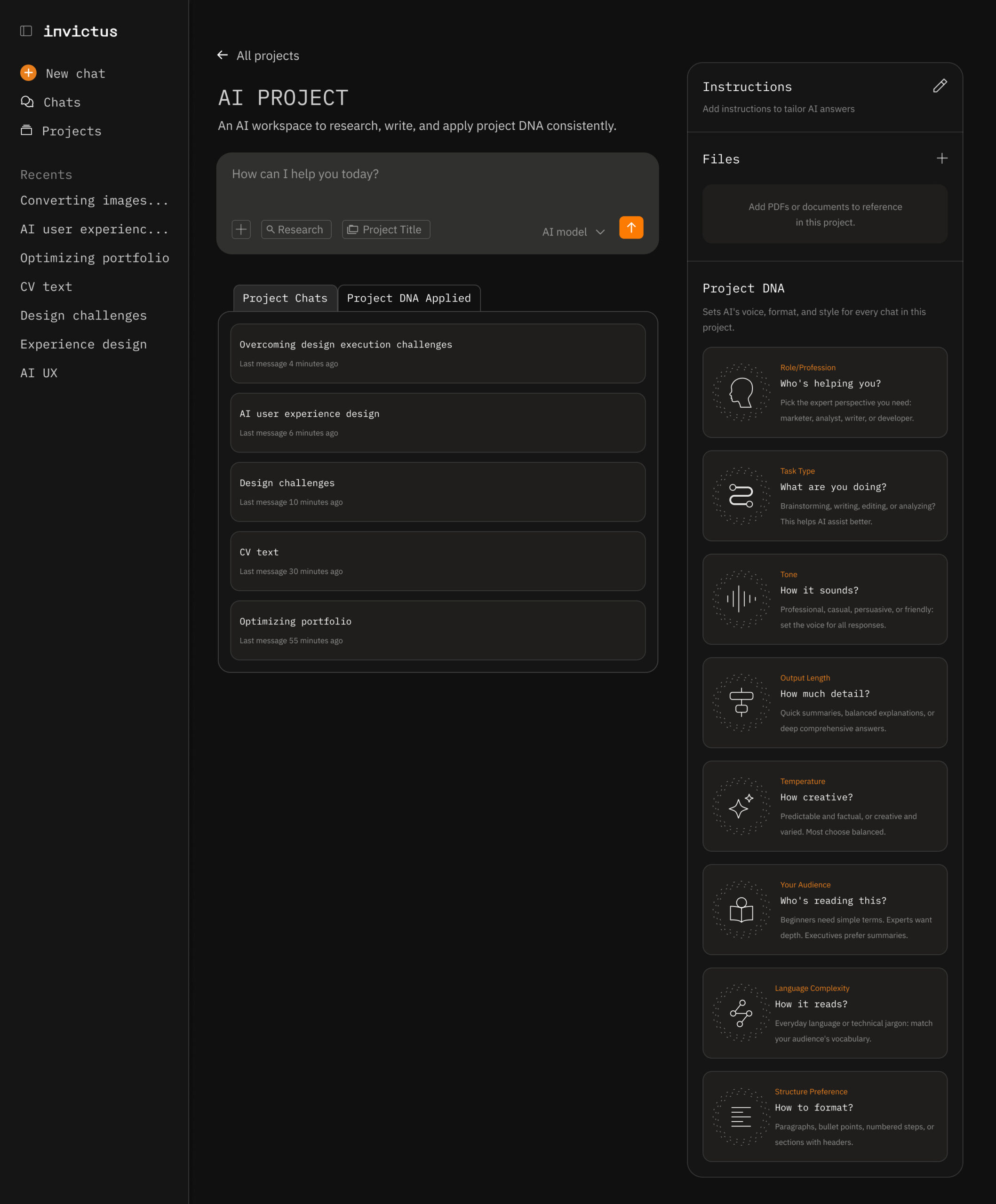
^ the default project screen with previous chats. The Project DNA is in the right side panel, and it's optional for users that don't feel they need more control over their AI responses.
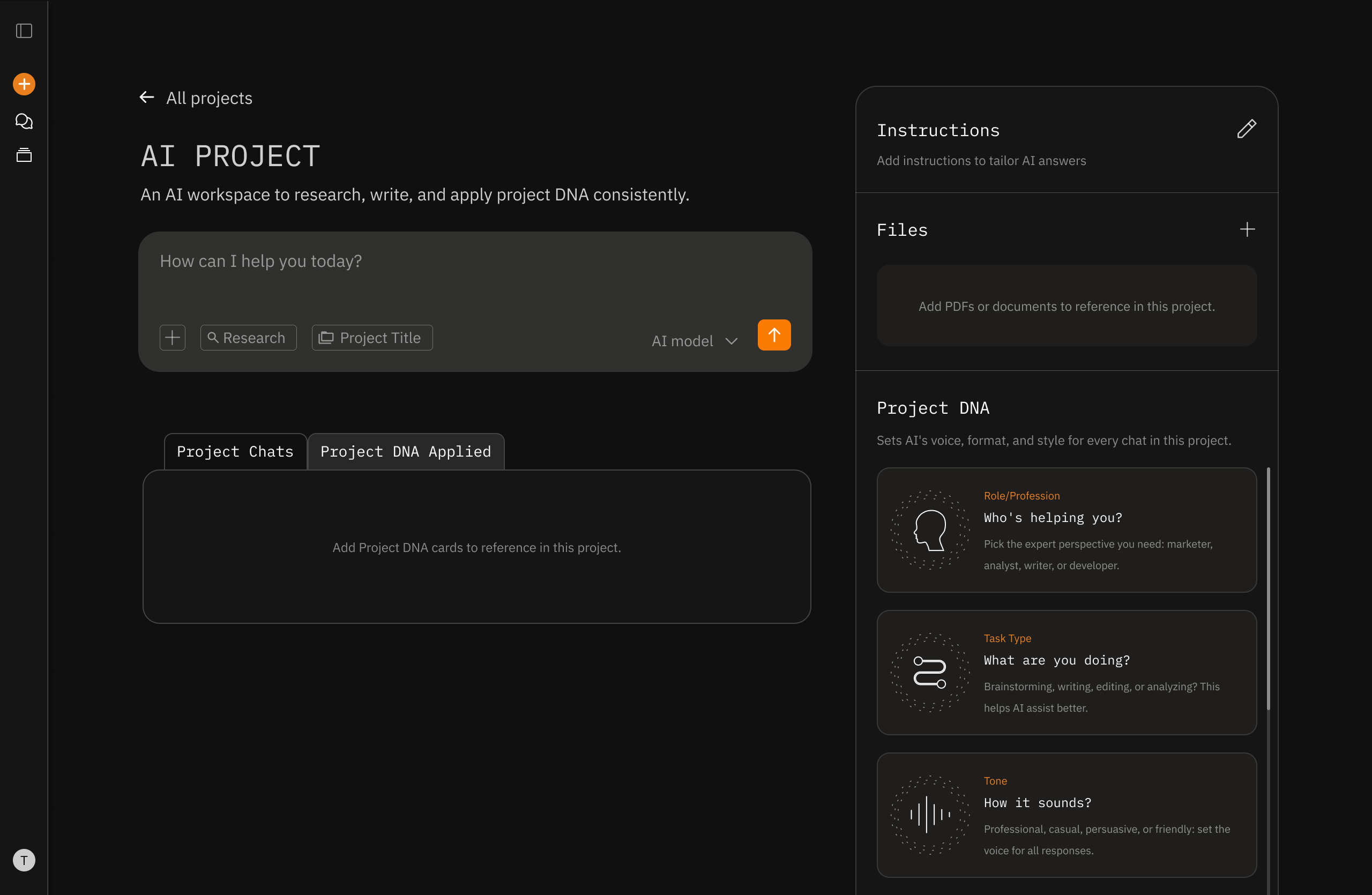
^ the Project DNA applied tab opens a box to drop cards to activate them. The user can activate 1 or all.
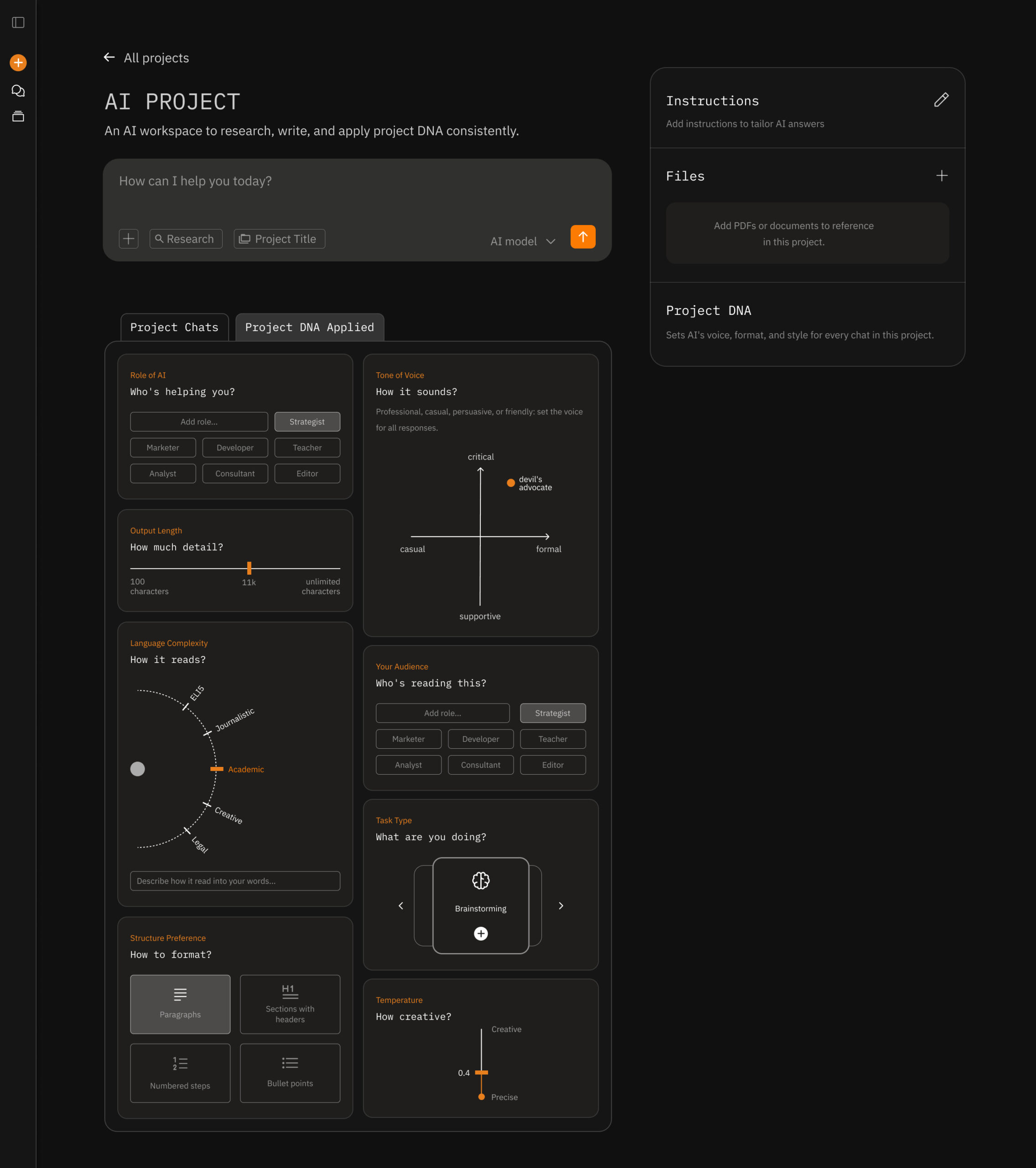
^ the Project DNA cards were iterated on multiple times, with a goal to make them more fun and gamified. I wanted them to be clear in their function, but to avoid users having an overwhelimng feeling of setting up a dashboard. Each card has motion design to bring that delight. The card can be removed by clicking X or dropping it back to the right side panel.
Layer #2
Prompt Controls - In-the-Moment Flexibility
Problem: "My Project DNA is casual, but I need formal right now."
Solution: Four controls above the input: length, tone, task type, format
Design decision: Why only four? Analysis of user requests showed these four account for 80%+ of in-the-moment adjustments.
Research tie-in: Control paradox - too many options overwhelm. Four is the sweet spot.
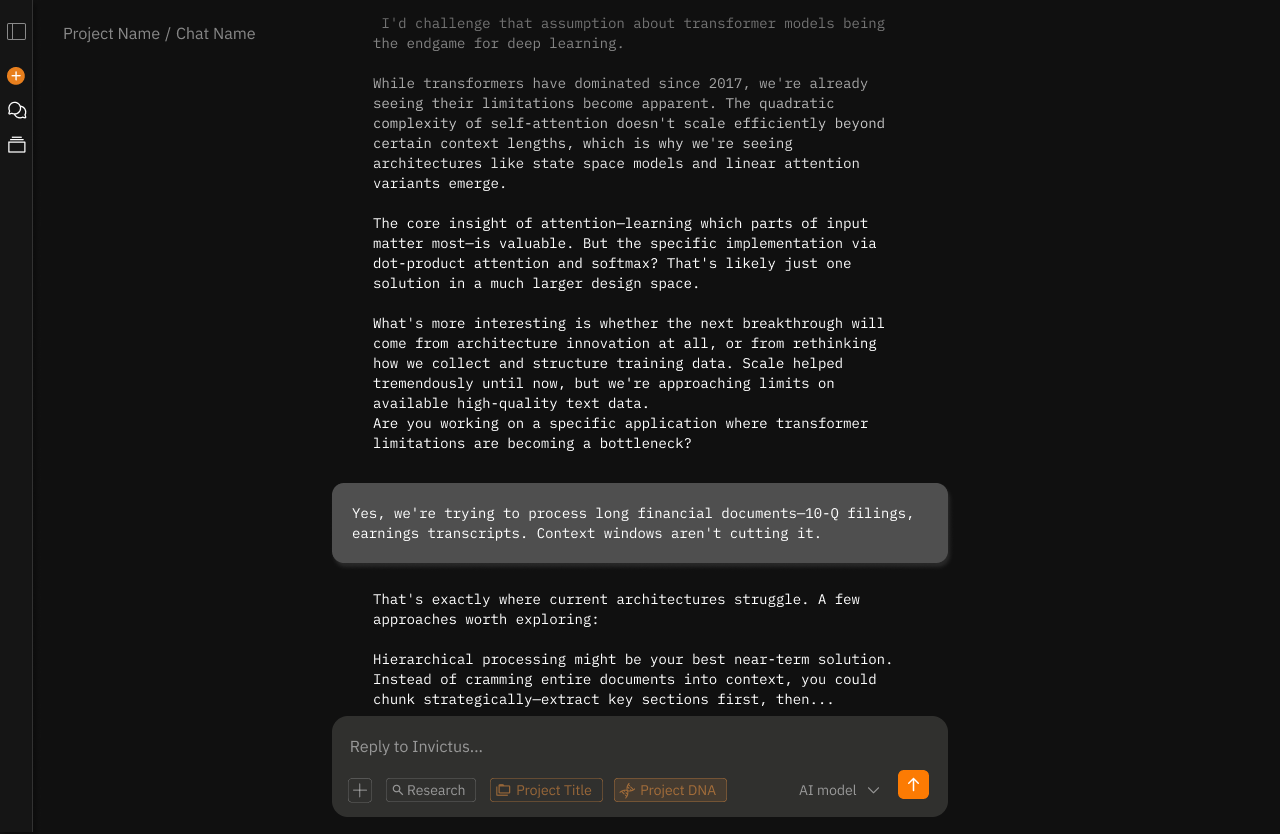
^ while chatting the user might want to fine-tune the AI responses to match the topic they are working on in the moment.
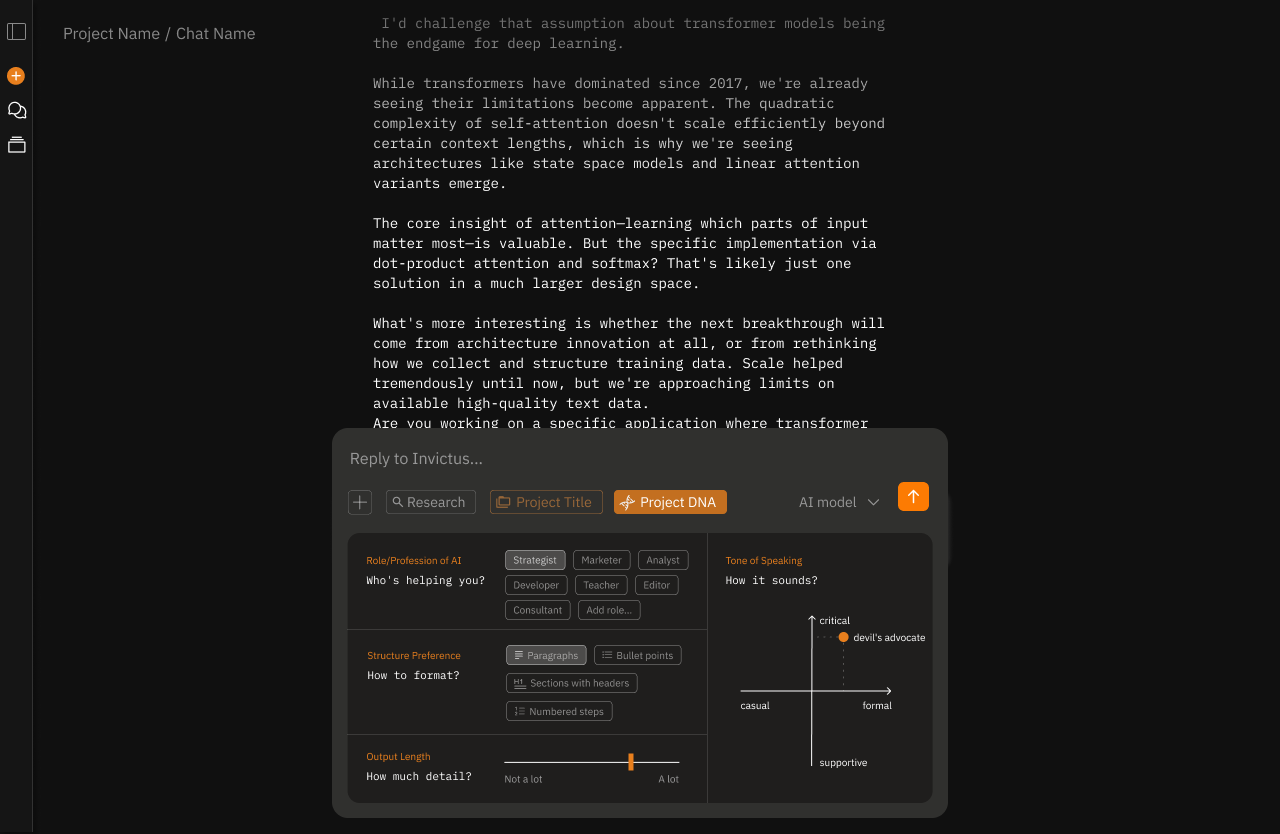
^ that's why they can access Project DNA through the chat box also. These settings would override the project settings.
Layer #3
Section Editing - Collaborate, Don't Regenerate
Problem: "One paragraph is wrong, but I have to regenerate the whole thing."
Solution: Select text → contextual menu appears (Expand, Improve, Find Source, Ask AI)
Design decision: Why these four actions? 57% of users want to see sources. Users want collaborative refinement, not binary accept/reject.
Research tie-in: 6x satisfaction boost from editing. Users want agency over outputs.
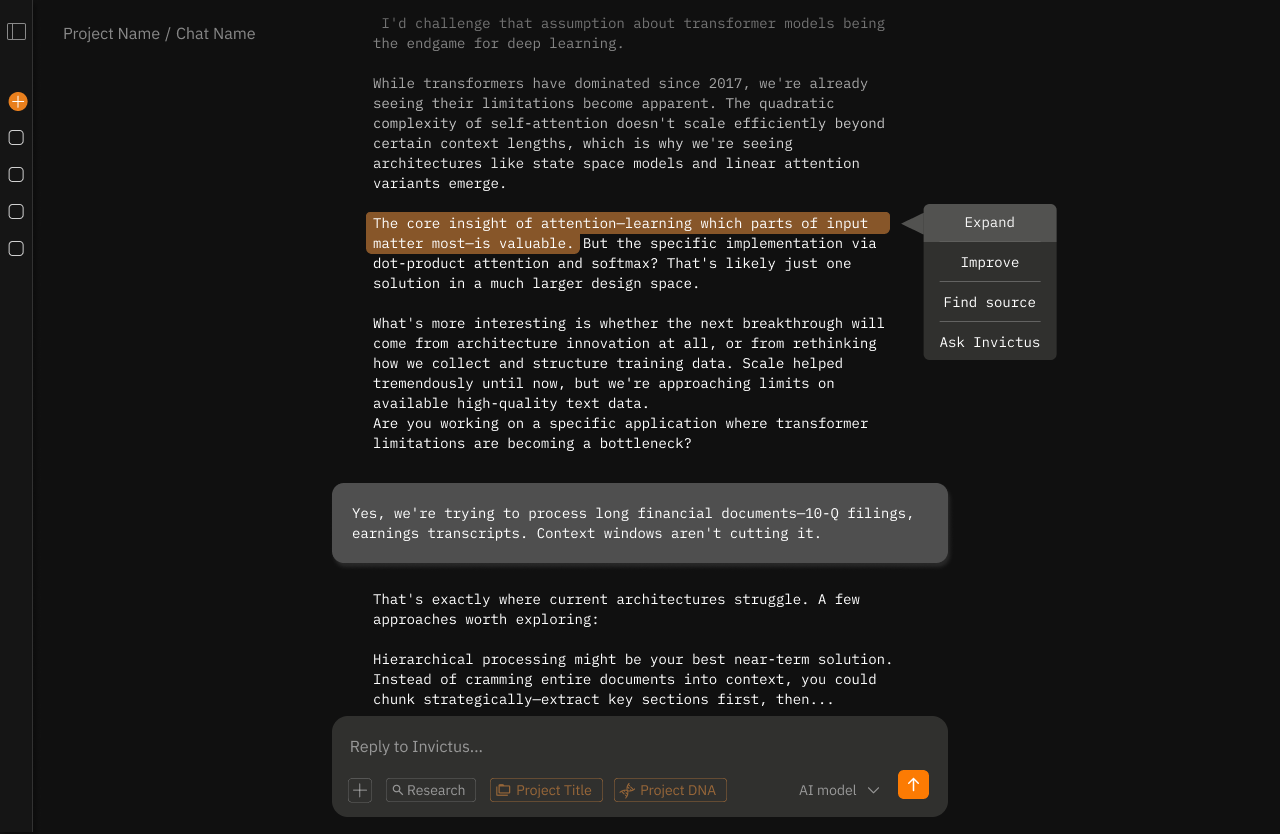
^ maybe the user wants to expand on one good sentence in the text, improve one particular paragraph, or find a source for a particular statement? These granular settings give the user more control over output iteration and make it simpler for the LLM to understand exactly which part to edit and how.